
Tribu | Club Management Android and iOS App
Tribu is a comprehensive mobile application designed for clubs, committees, and membership-based organizations. Manage committees, track awards, approve members, and organize meetings seamlessly.
• 32 Committees active in the system
• 42 Members across all committees
• 30 News articles published
• 8 Meetings scheduled and completed
App Overview
Tribu operates on a committee-based structure where clubs are organized into committees, each with its own members and leadership.
User Roles in Tribu
The application supports four distinct user roles:
- Guest Guest: Limited access, can view basic information only.
- Member Member: Full access to attendance, network directory, awards, and committee activities.
- Community Admin Community Admin: Manages specific committees, approves members, arranges meetings.
- Club Admin Club Admin: Complete system control - manages all committees, global settings, badges, and system configurations.
Personalized home screen with upcoming meetings and quick actions
Searchable member database with contact information
Gamification system to recognize achievements
Complete management suite for club operations
Schedule, track, and record attendance for meetings
Generate attendance and transaction reports
Member Dashboard
The member dashboard provides a personalized overview of club activities, upcoming meetings, and quick access to essential functions.
Dashboard Components
- Welcome Banner: Personalized greeting with member name (e.g., "Welcome back, Mr John Doe").
- Community Rules: Quick access to membership requirements and obligations.
- Community Overview: Statistics showing Committees, Members, News, and Meetings counts.
- Upcoming Meetings: List of scheduled meetings with date and location.
- Quick Actions: Fast access to Member Approval, Alliances Approval, Awards Approval, and Pairing Attendance.
- Latest News: Club announcements and updates.
- Bottom Navigation: Home, Network, Awards, Profile, Admin (visible to admins only).
Quick Actions Explained
- Member Approval: For admins to approve new membership requests.
- Alliances Approval: Approve alliance or partnership requests between committees.
- Awards Approval: Review and approve award nominations submitted by members.
- Pairing Attendance: Record attendance for paired committee meetings.
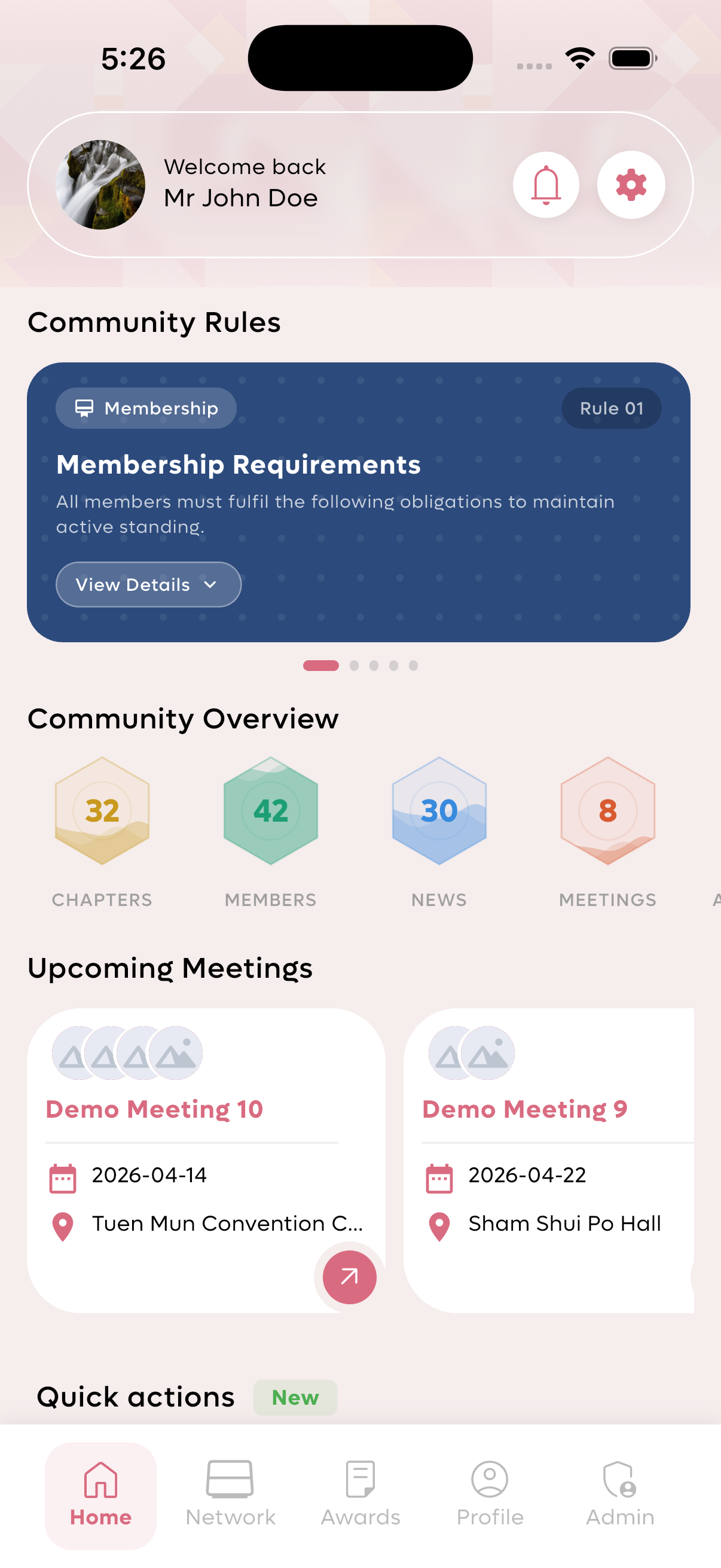
Dashboard showing community overview and upcoming meetings.
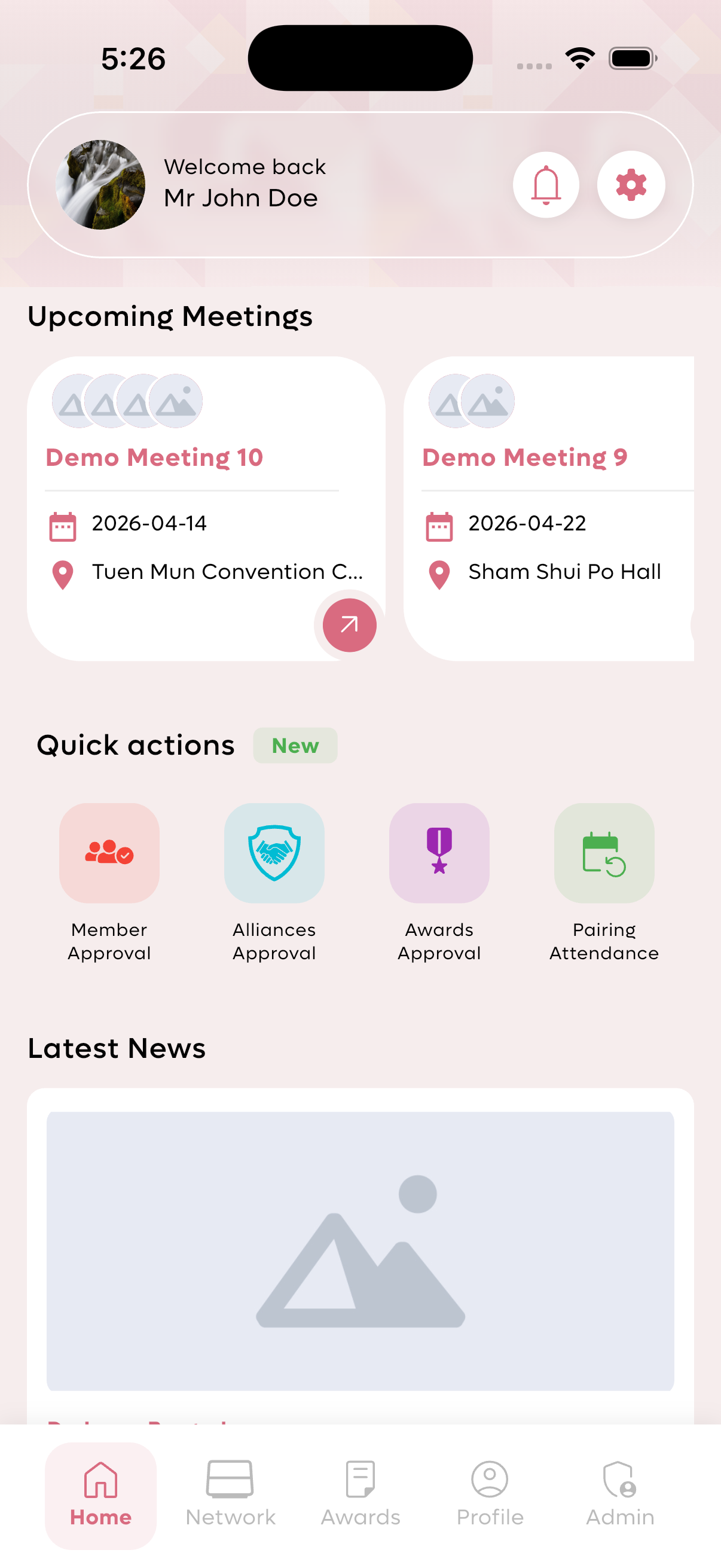
Quick actions panel with approval options.
Network Directory
The network directory allows members to find and connect with fellow club members across all committees.
Directory Features
- Search Functionality: Find members by name or other criteria.
- Member Cards: Each member displays initials, full name, and phone number.
- Member Details: Tap on a member to view complete profile including:
- Phone and Email contact
- Company Name
- Industry
- Personal Interests (e.g., Golf, Coding)
- Quick Actions: Message, Call, or Share member profile.
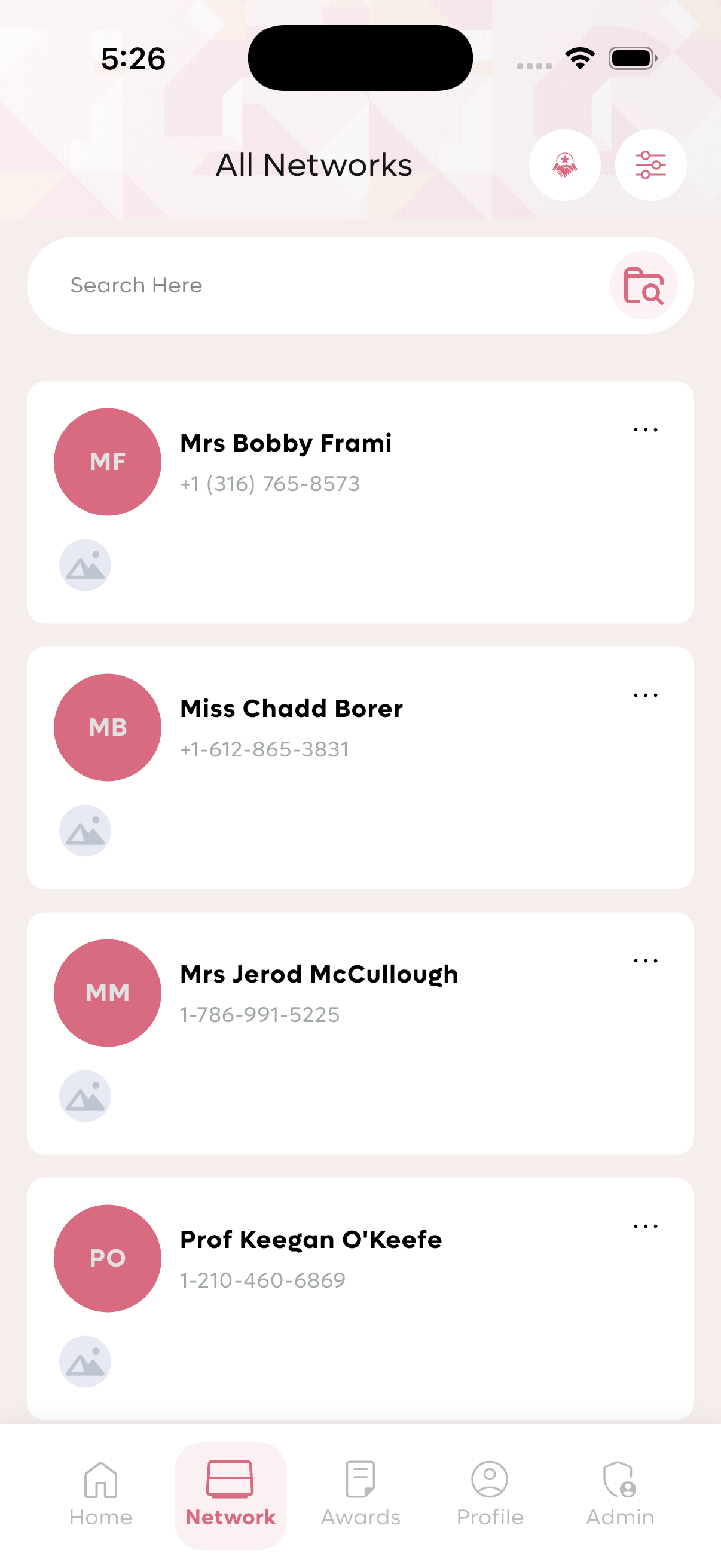
Network directory showing member list with initials and phone numbers.
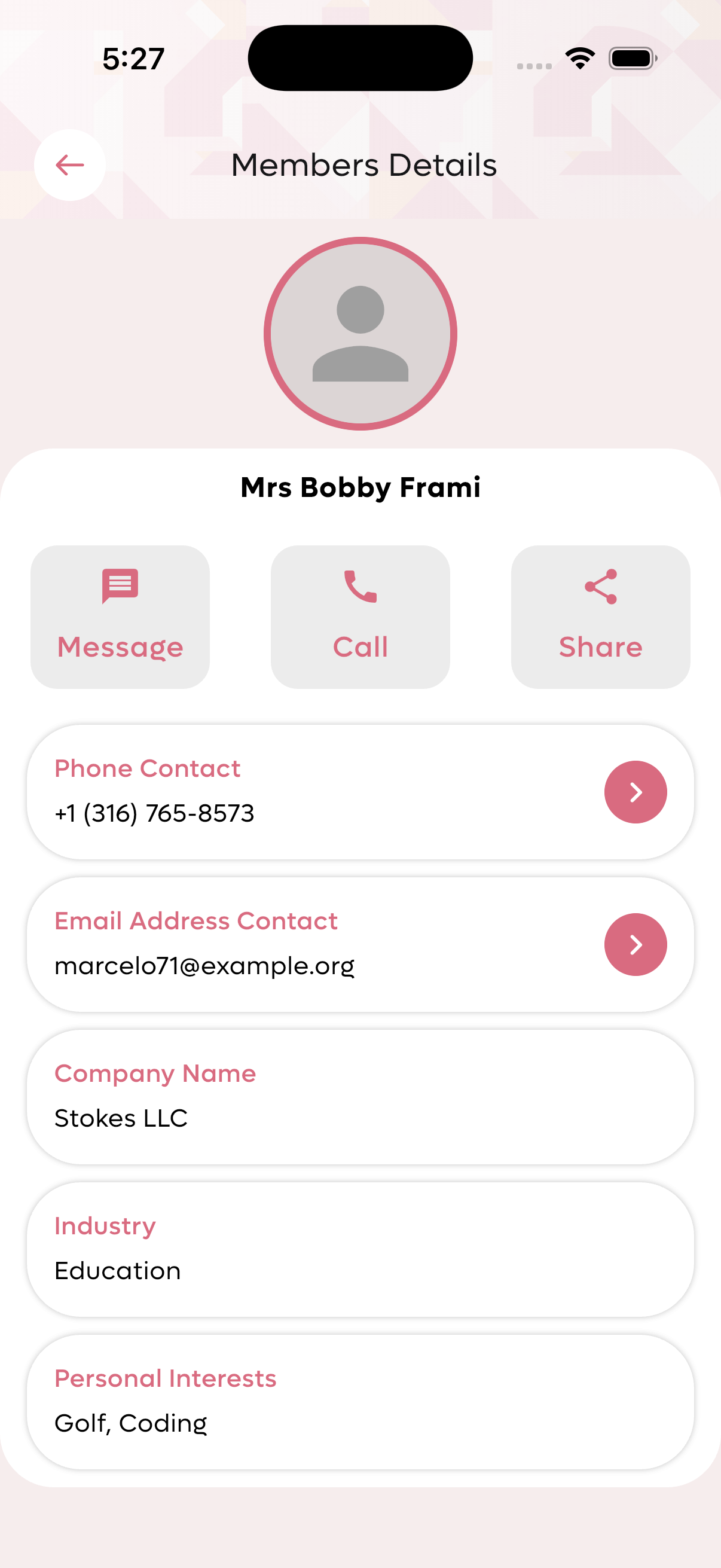
Detailed member profile with contact and company information.
Awards System
The awards system motivates members by recognizing their contributions and achievements within the club.
Award Categories
- Membership Referral: Awarded for introducing 2 new members to the chapter.
- Conduction Business within Chapter: Achieved when members complete transactions through club connections.
- Charity Work: Recognition for participation in philanthropic activities.
- Sharing Inspirational Passages: Awarded for contributing valuable content that receives community recognition.
Submitting Award Requests
Members can submit award requests with the following information:
- Title: Name/description of the award request
- Description: Detailed explanation of achievement
- Attachment: Upload supporting documents (JPEG, JPG, PNG, SVG, PDF, DOC, DOCX, XLS)
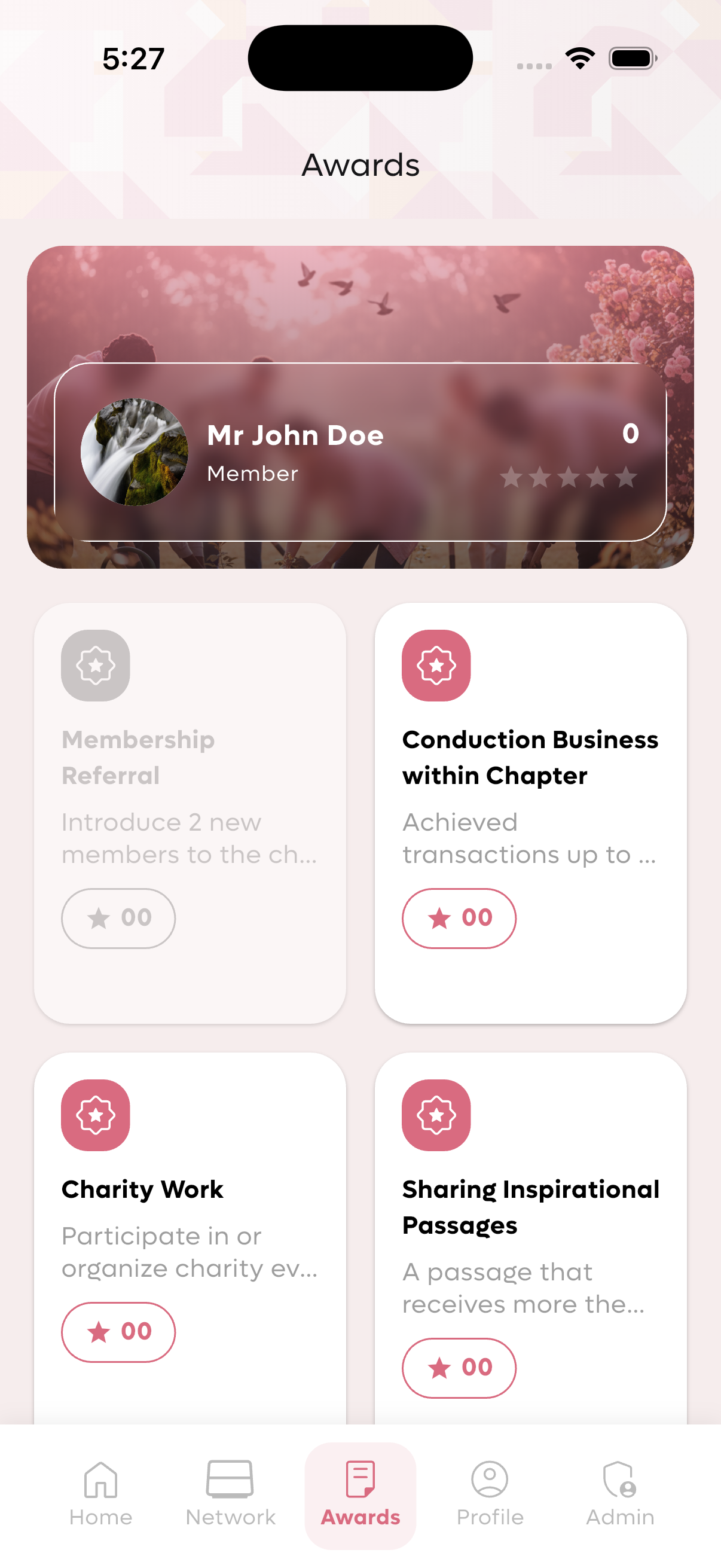
Member awards view showing progress toward achievements.
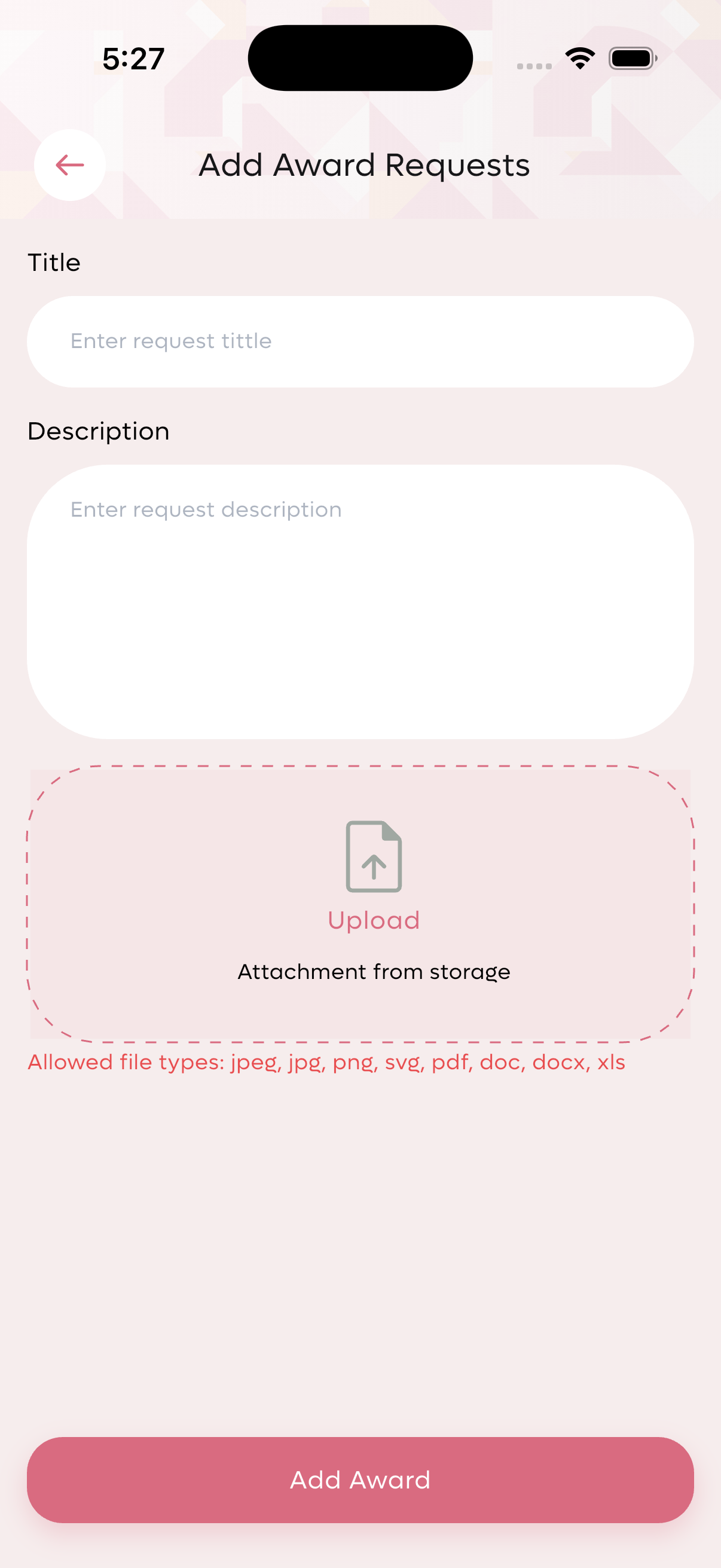
Submit award request form with title, description, and attachment.

Admin view of pending award requests.
Badges Management
Badges are digital recognitions that can be assigned to members for various achievements and milestones.
Types of Badges
- Member Badges: Individual achievement badges.
- Alliance Badges: Special badges for committee alliances and partnerships.
Badge Management Actions
- Create Badge: Add new member or alliance badges with custom titles.
- Assign Badge: Grant achievement badges to recognize contributions.
- Remove Badge: Revoke previously assigned badges if needed.
- Approve Alliance Request: Review and approve alliance badge requests.
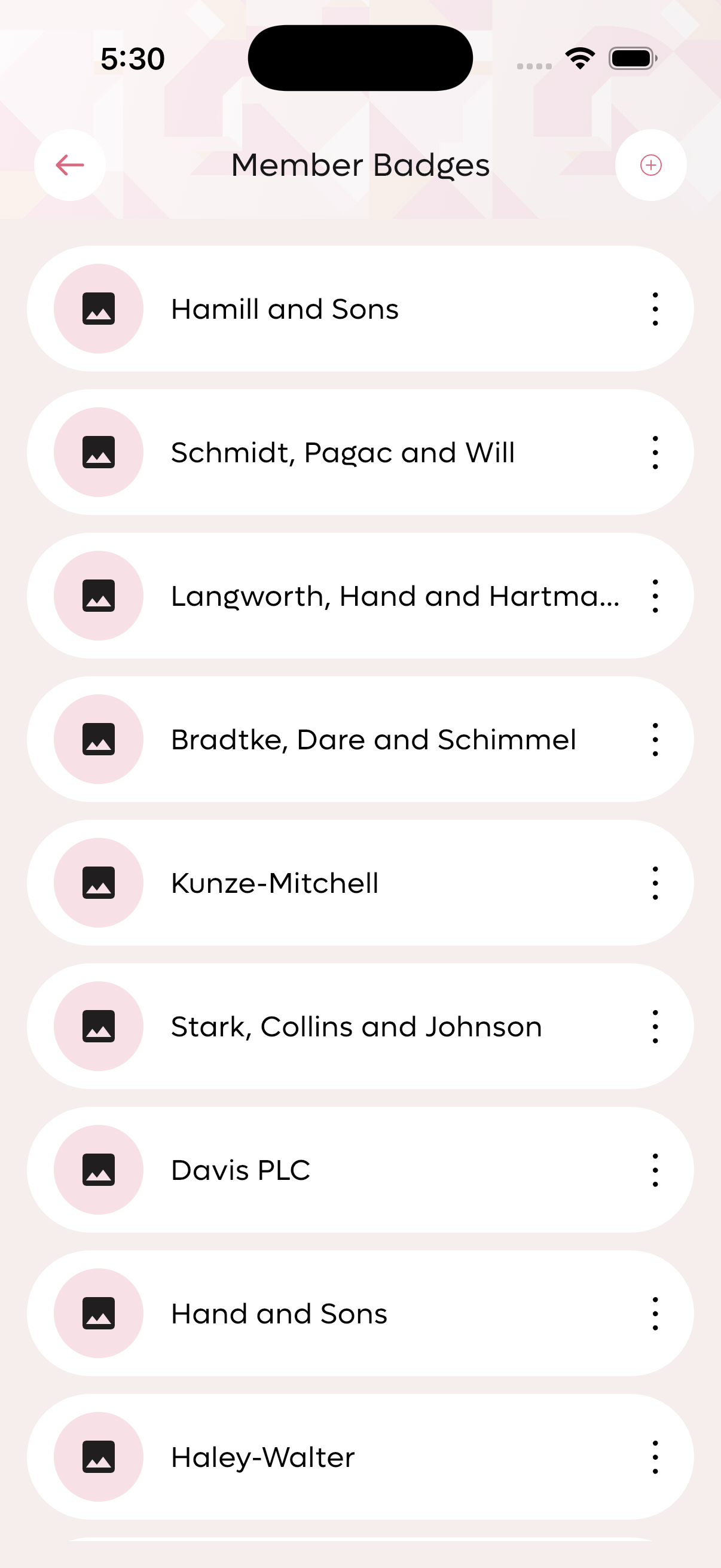
List of available member badges.
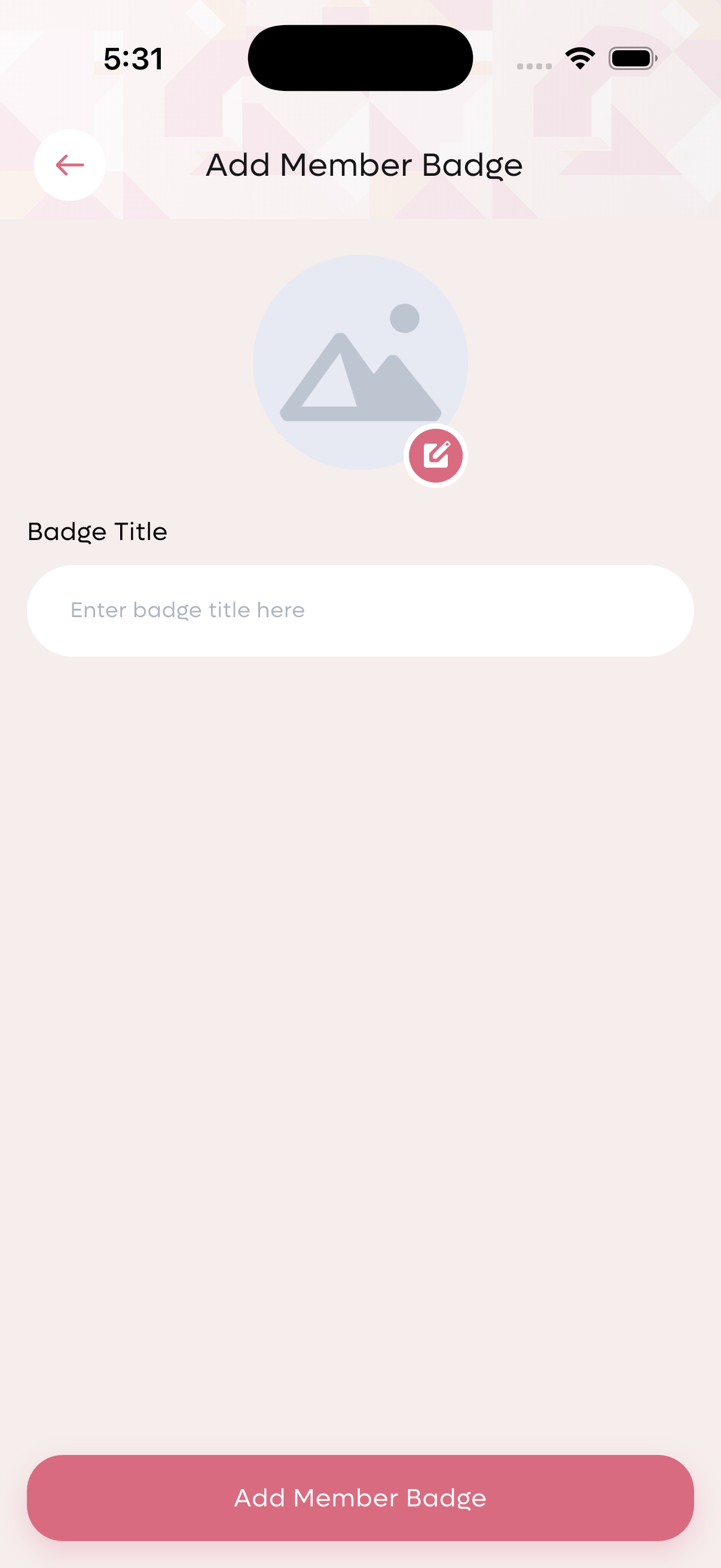
Create new member badge form.
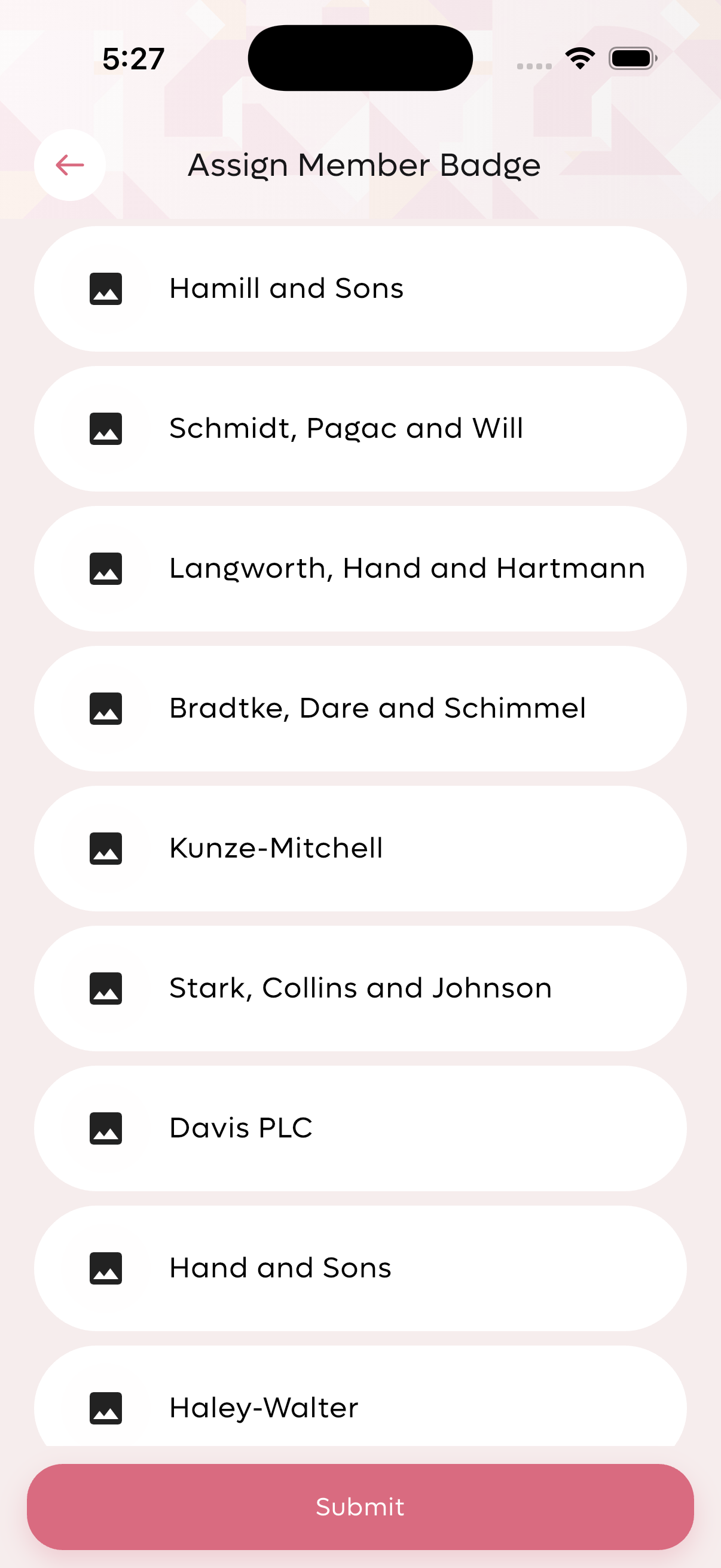
Assign badge to member selection screen.
Alliance Management
Alliance Badges
Alliance badges represent partnerships between committees or external organizations.
Alliance Requests
Members can request alliance badges, which appear in the approval queue:
- Displays requester name
- Shows alliance name
- Requires admin approval
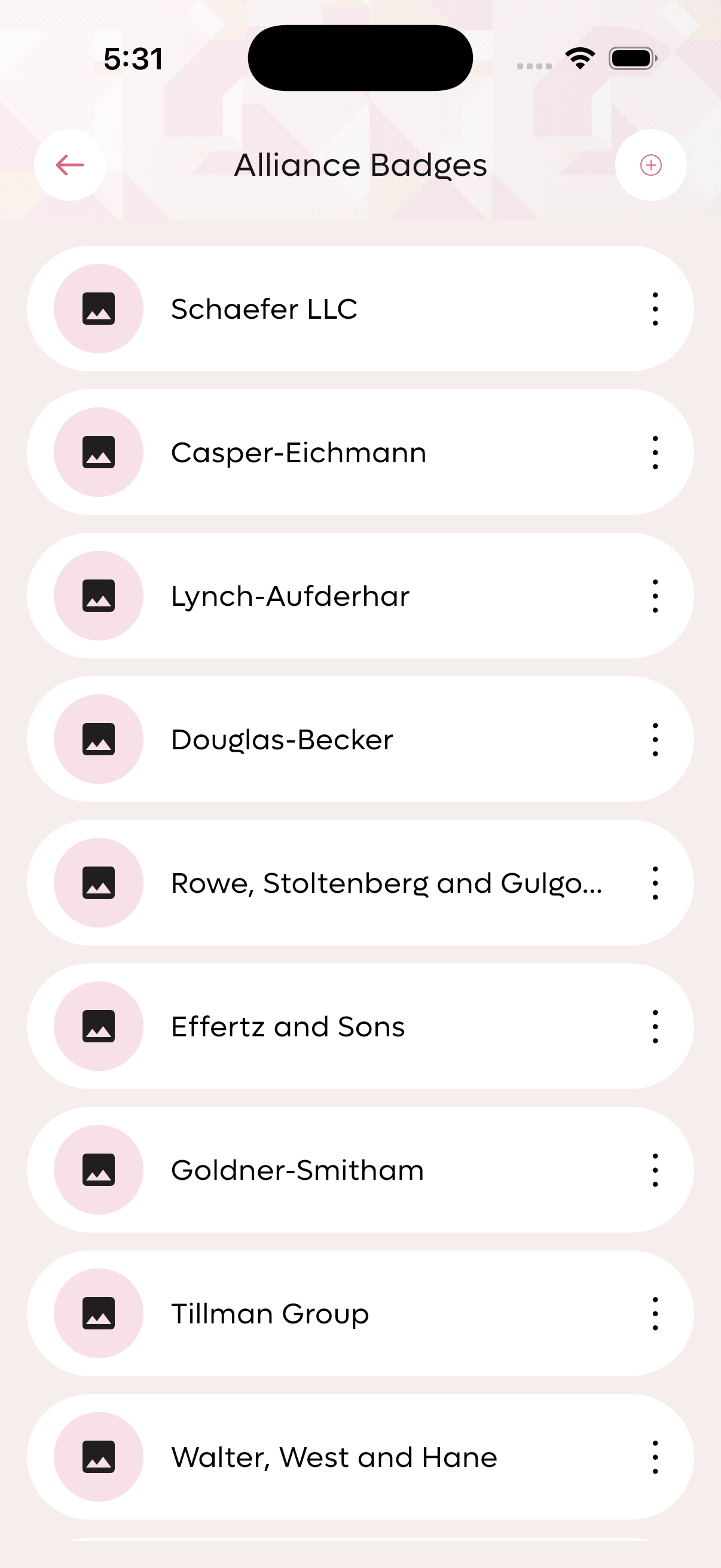
List of available alliance badges.
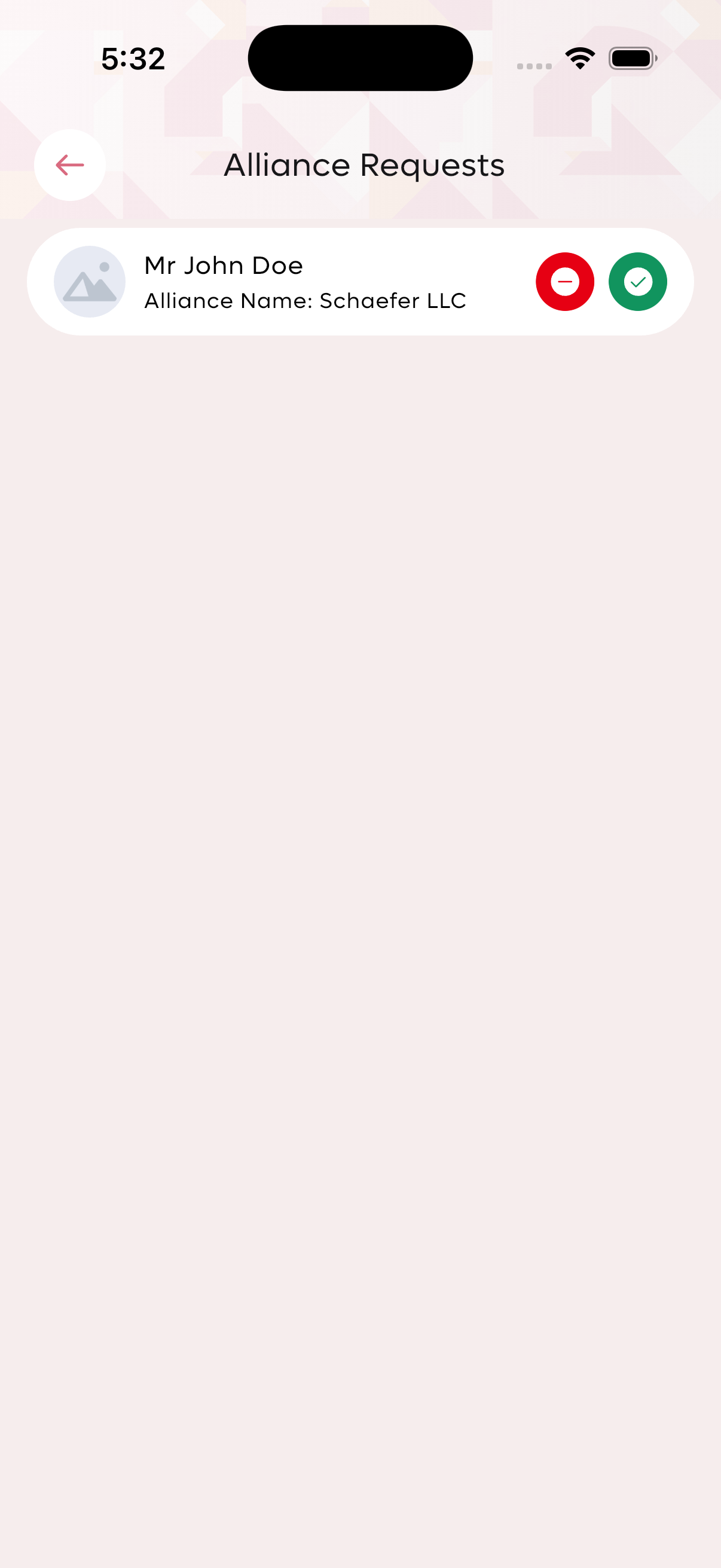
Pending alliance requests awaiting approval.
Committee Management
Committees form the backbone of your organization. Each committee has its own members, leadership, and activities.
Committee Overview
- Total Committees: 32 active committees
- Total Members: 20 members across all committees
- Each committee displays member count and activity metrics
Committee Management Features
- View Committee: See all committees with details including name, mission, and members.
- Create New Committee: Add committees with name and mission/vision statement.
- Member Approval: Review and approve pending membership applications for each committee.
- Renewal Membership Request: Process membership renewal requests.
- Committee Details: View committee mission, vision, and member roster.
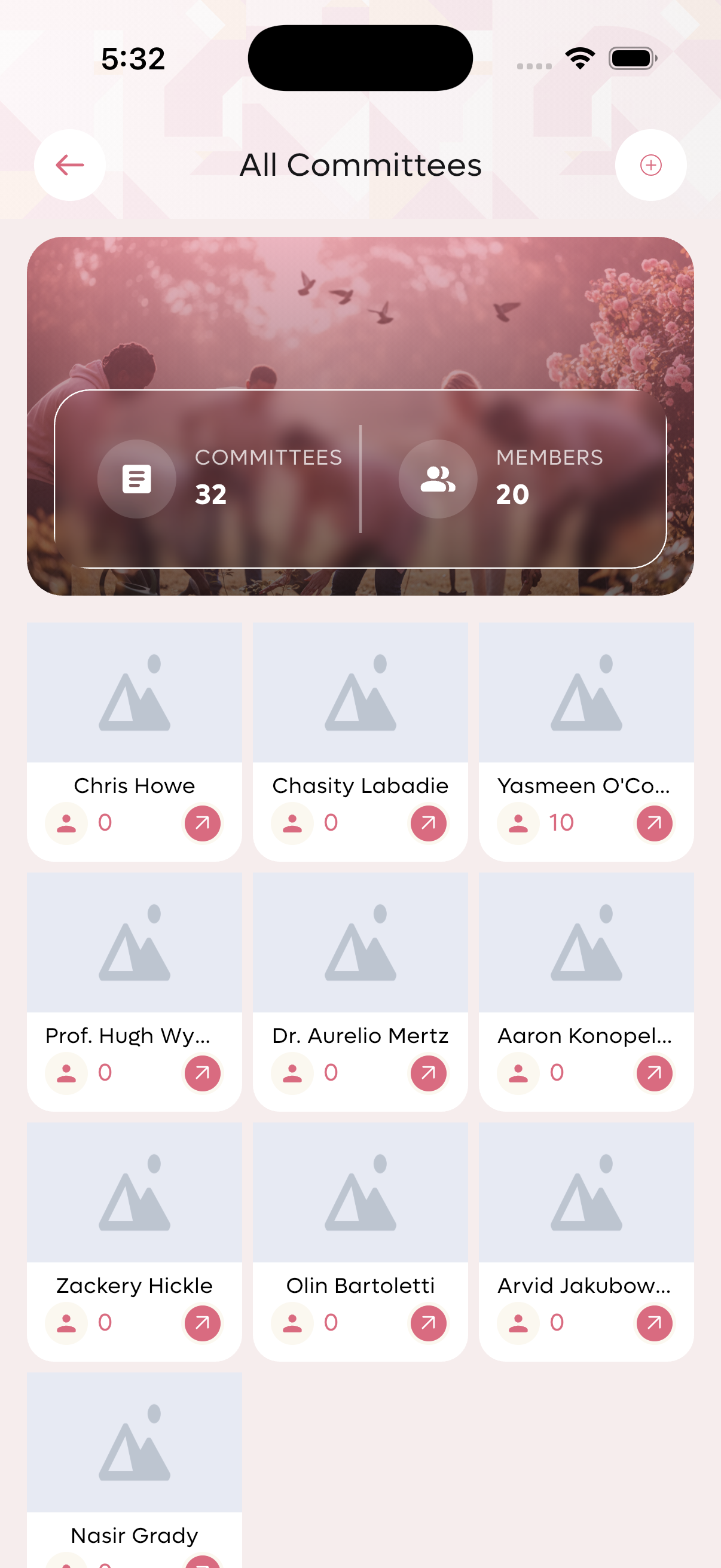
All committees list with member counts.
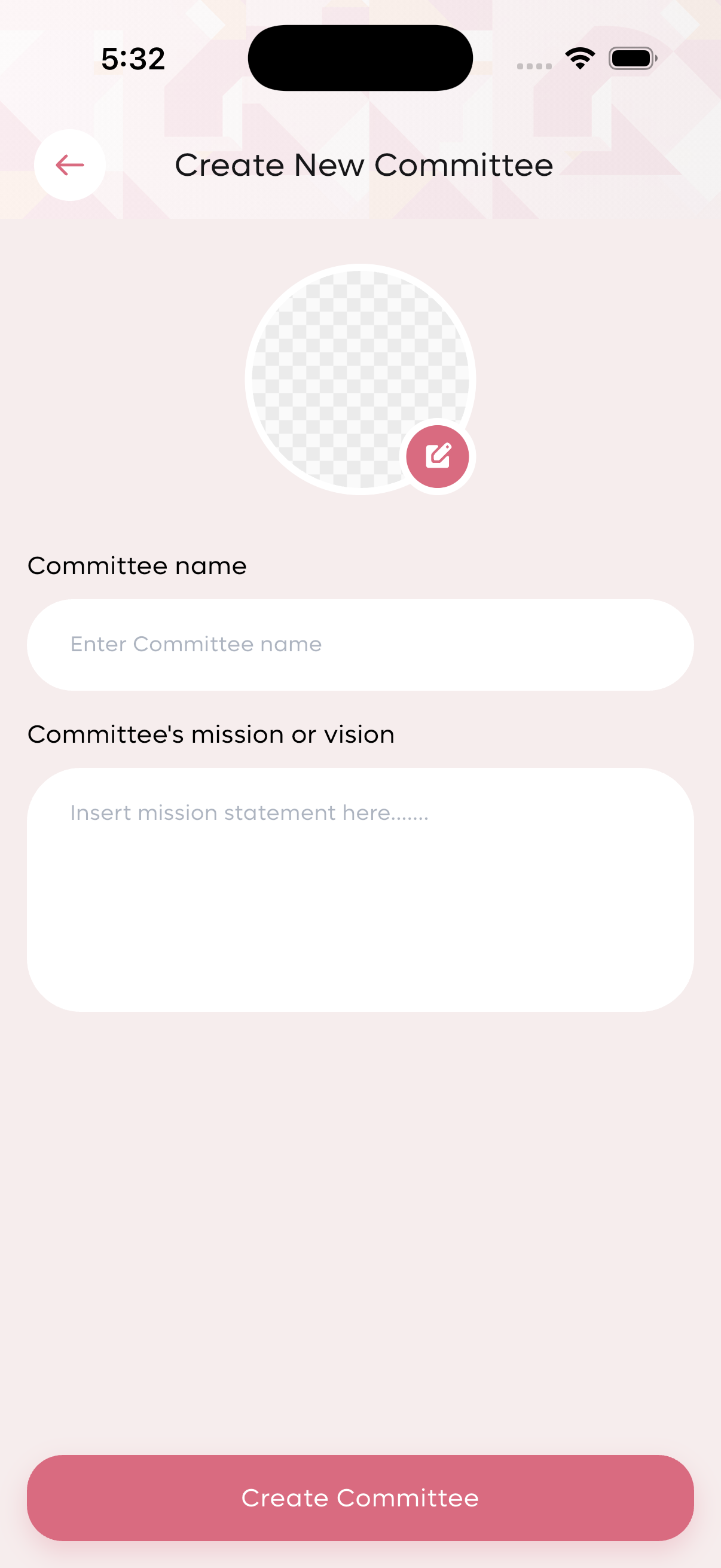
Create new committee form.

Committee details view with mission and members.
Meeting Management
Create New Meeting
Schedule meetings with the following fields:
- Meeting Title: Name/identifier for the meeting
- Date: Scheduled meeting date
- Location/Place: Venue address
- Committee Selection: Choose which committee(s) are involved
- Description: Additional meeting details
- Mandatory Meeting: Toggle to mark as required attendance
Pairing Attendance
For meetings involving multiple committees:
- Tracks attendance from each committee separately
- Displays metrics: Total Present, Total Absent, Total Member Count
- Shows meeting location and attendee lists per committee
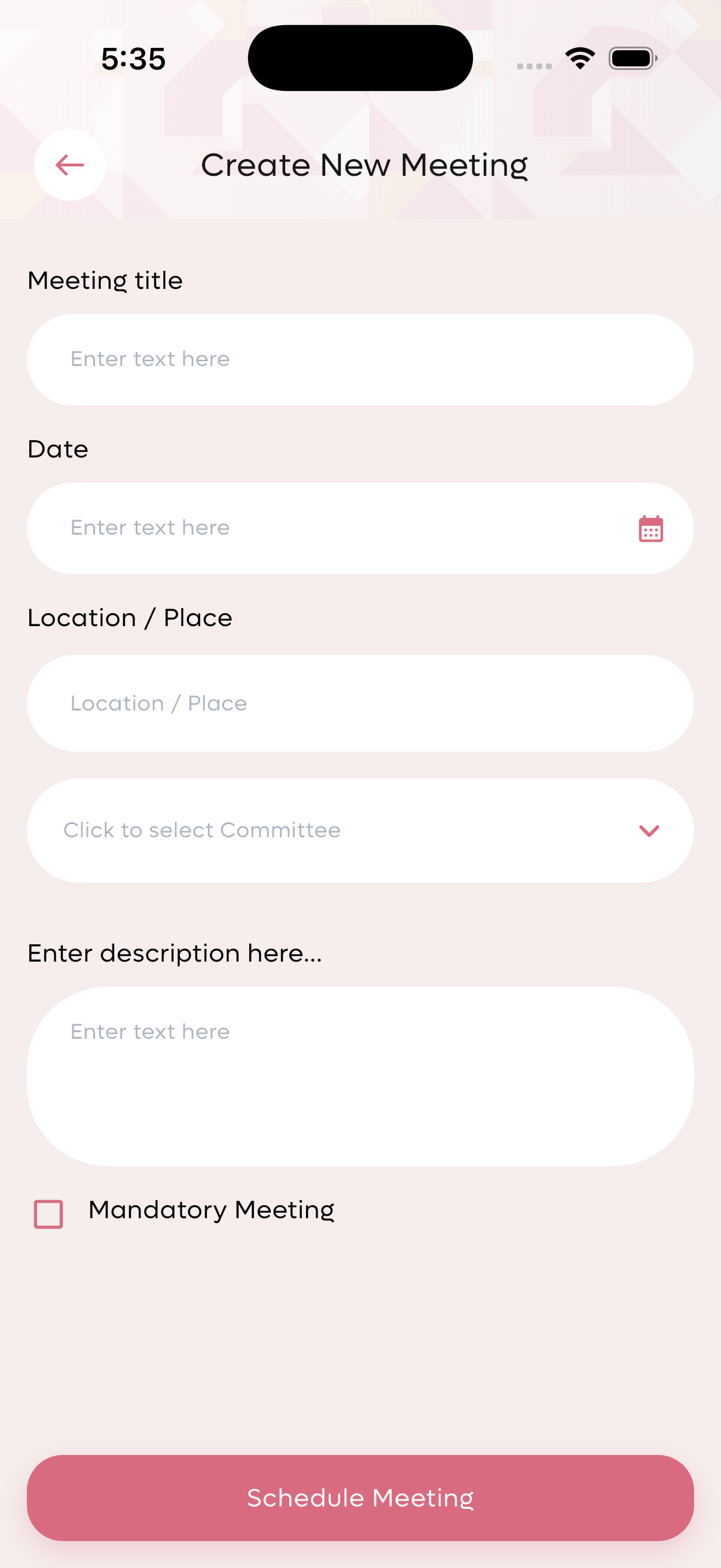
Create new meeting form with all configuration options.
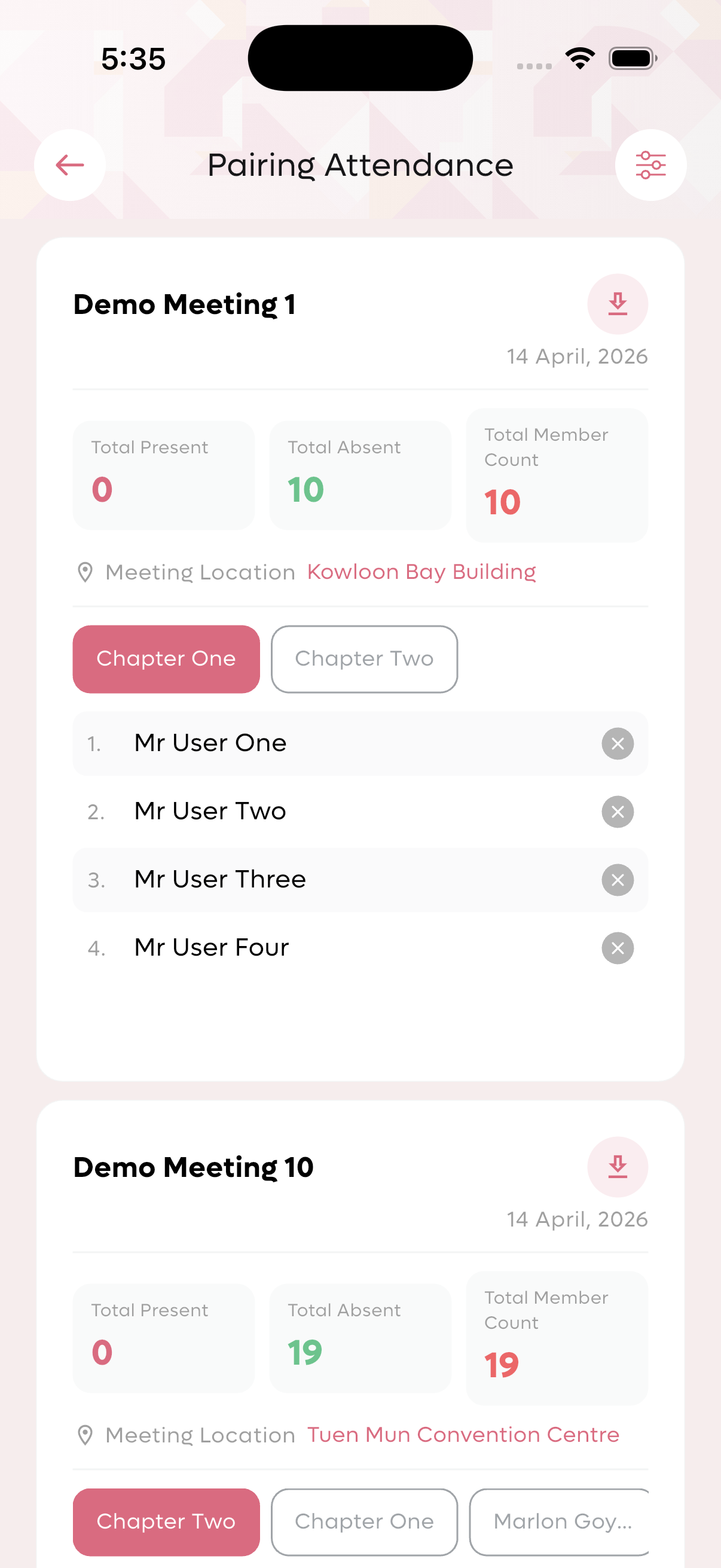
Pairing attendance view showing committee-wise attendance.
Member Approval Process
The member approval workflow ensures that only qualified applicants join the club.
Approval Dashboard
- Total Members: 20 approved members
- Approval Pending: 30 pending applications
Member Approval List Information
Each pending application displays:
- Company/Organization Name
- Applicant Name: Full name with title (Mr, Miss, Mrs, Dr, Prof)
- Contact Number: Phone for follow-up
Renewal Membership Request
Track and process membership renewals separately from new applications. Shows:
- Total members eligible for renewal
- Approval pending count
- List of renewal requests
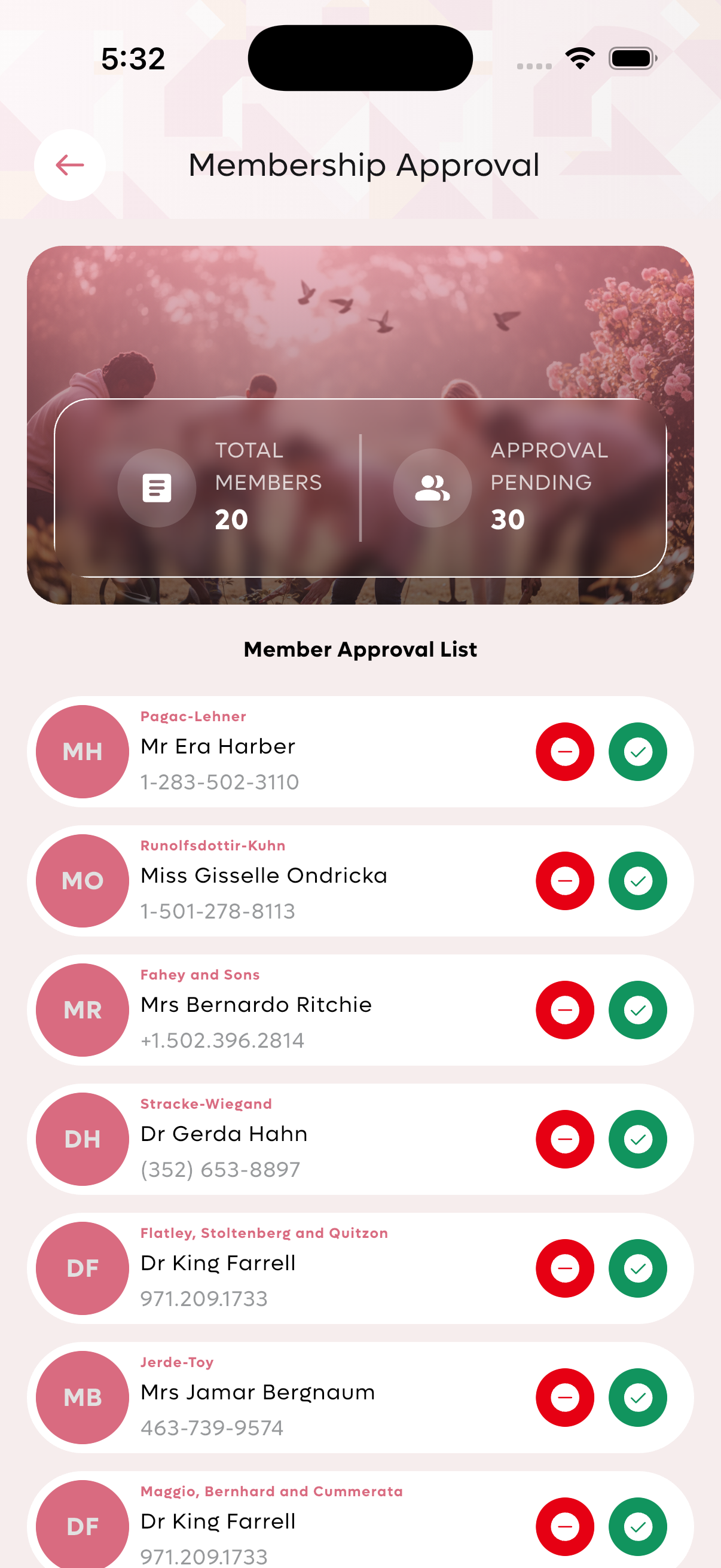
Member approval list with pending applications.
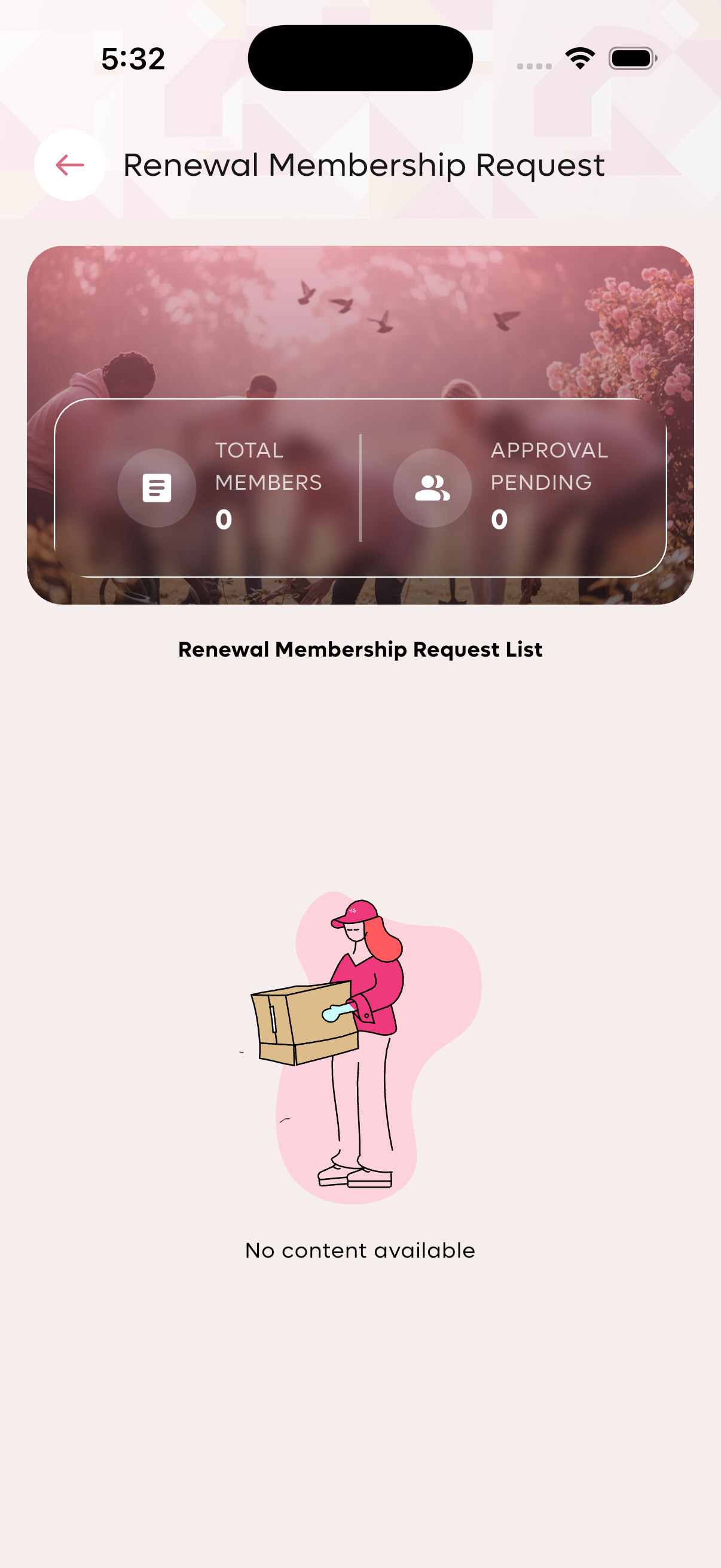
Renewal membership request management screen.
Report Management
Available Reports
- Pairing Attendance Report: Detailed report for paired committee meetings showing attendance from both committees.
- Manual Attendance Report: Log of all manually entered attendance records.
- Transactions Report: Complete history of financial transactions within the club.
Report Features
- Date range filtering
- Export options (PDF, CSV)
- Committee-wise filtering
- Member-wise breakdowns
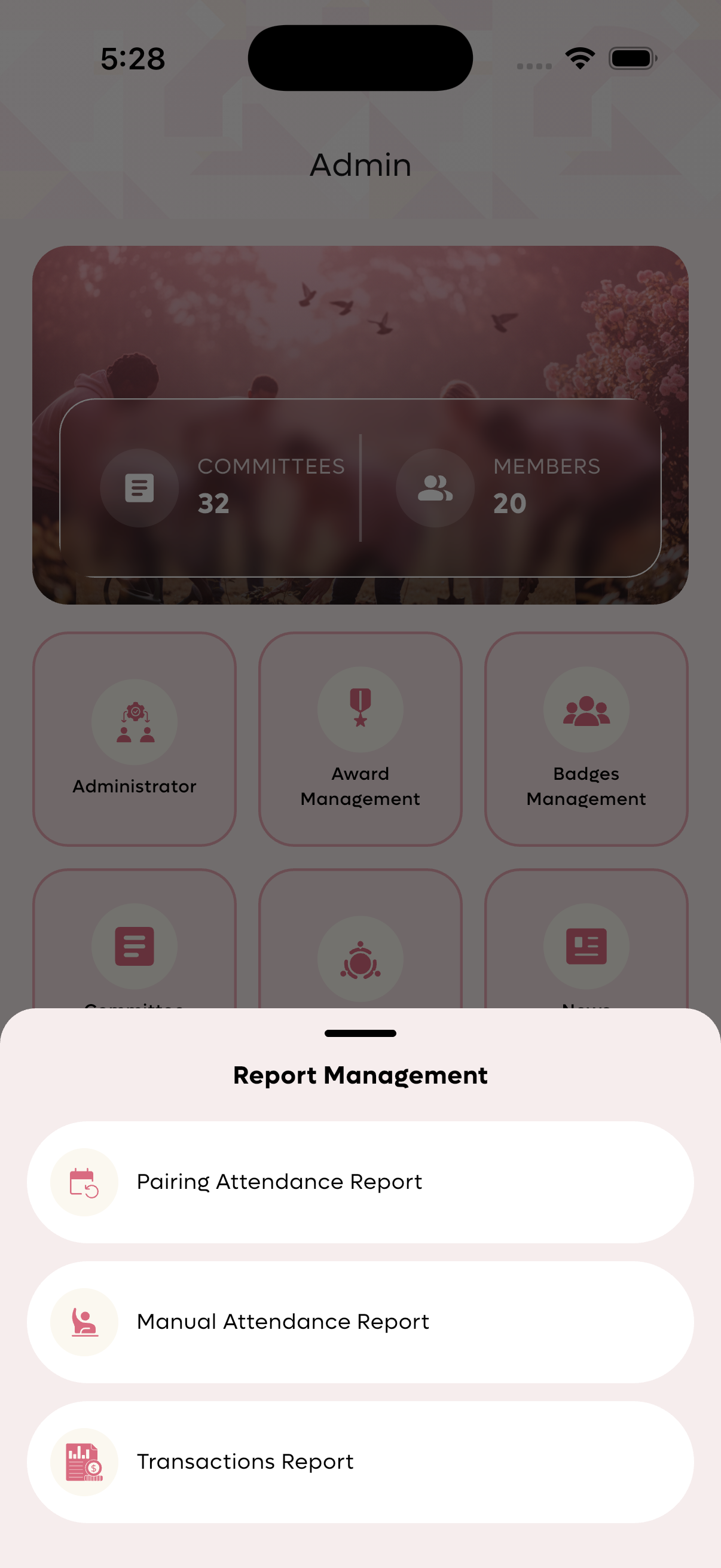
Report management screen with three report types.
Settings Management
System Settings Configuration
Global settings that control club operations:
| Setting | Description | Default Value |
|---|---|---|
| Minimum Attendance Count | Minimum meetings a member must attend | 10 |
| Annual Membership Fee | Yearly membership subscription cost | 1.0 |
| Renewal Membership Fee | Fee for renewing membership | 10.0 |
| Late Renewal Fee | Additional fee for late renewals | 20.0 |
| Count Five Star Award by Attendance | Attendance threshold for 5-star award | 10 |
| Continuous Absence Important Meetings Count | Number of absences before action | 10 |
| Automatic Removal Period | Days after which inactive members are removed | 10 |
Email Setup
Configure SMTP settings for automated email notifications including:
- Welcome emails to new members
- Meeting reminders
- Approval notifications
- Award notifications
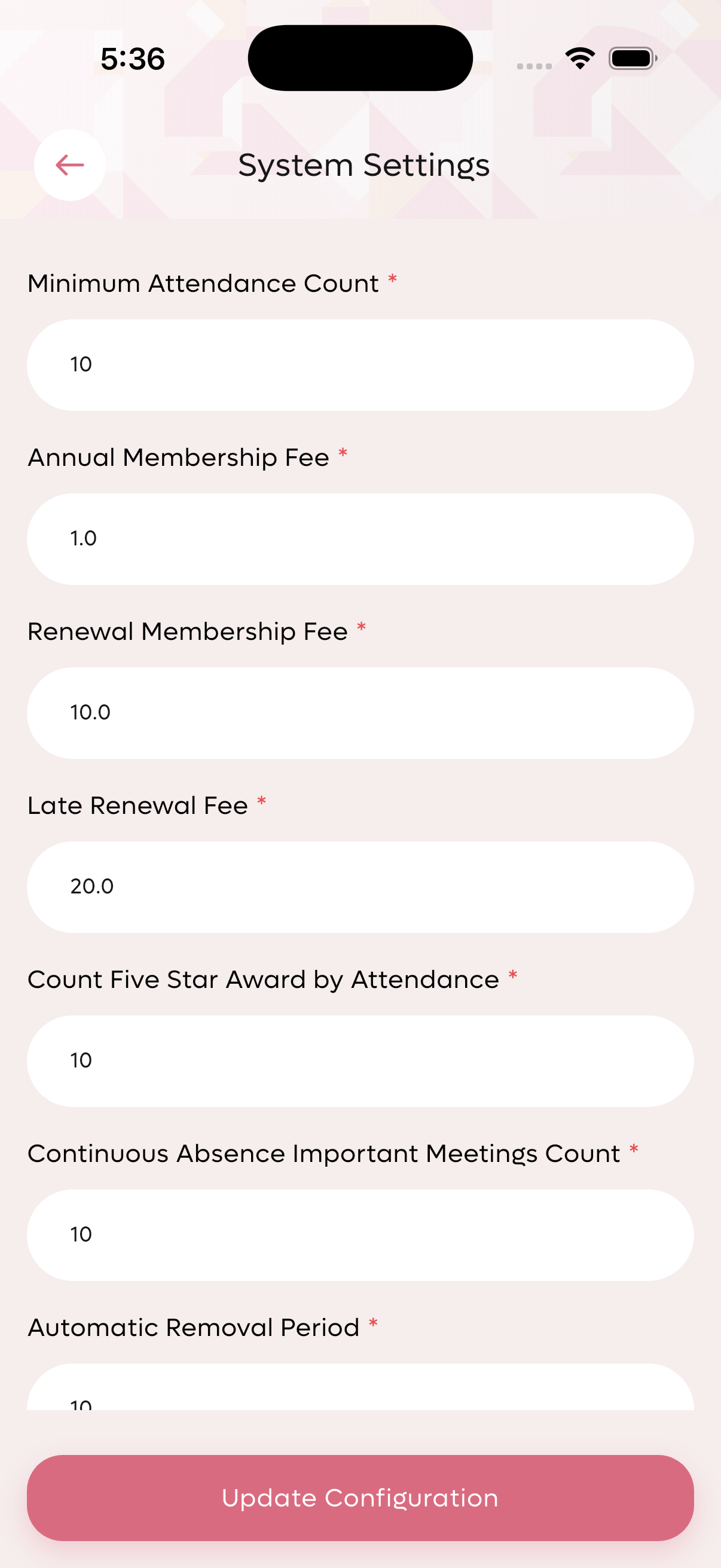
System settings configuration screen.
Activity Log
The activity log provides a complete audit trail of all actions performed within the system.
Logged Activities
Each activity entry includes:
- Action Type: Created, Updated, Deleted
- Description: What was changed
- Performed By: User who performed the action
- Timestamp: Date and time of the action
Sample Log Entries
- Created default.alliance_request has been created - By: Mr John Doe (2026-04-14 | 19:31 PM)
- Created Member award request has been created - By: Mr John Doe (2026-04-14 | 19:29 PM)
- Updated Profile has been updated - By: Mr John Doe (2026-04-14 | 19:17 PM)
- Created Profile has been created - By: Mr John Doe (2026-04-14 | 18:56 PM)
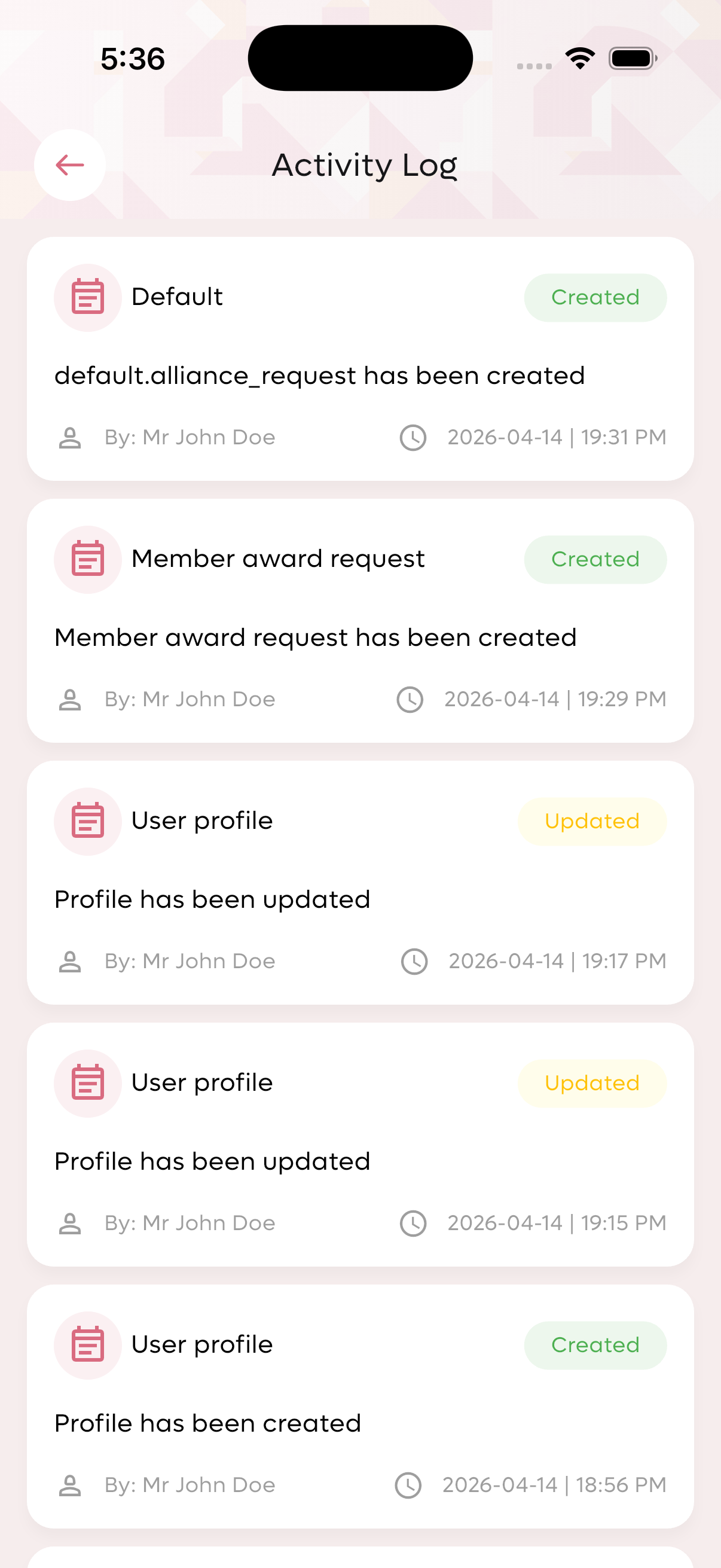
Activity log showing all system actions with timestamps.
Roles & Permissions
Role Statistics
- Guest Users: 30
- Member Users: 40
- Community Admin Users: 1
- Club Admin Users: 1
Create New Role
Admins can create custom roles with granular permissions:
- Role Name: Custom name for the role
- Select All Permission: Toggle all permissions at once
- Individual Permissions: Chapters, Meetings, Admin, Approvals, Pairs, Networks, News
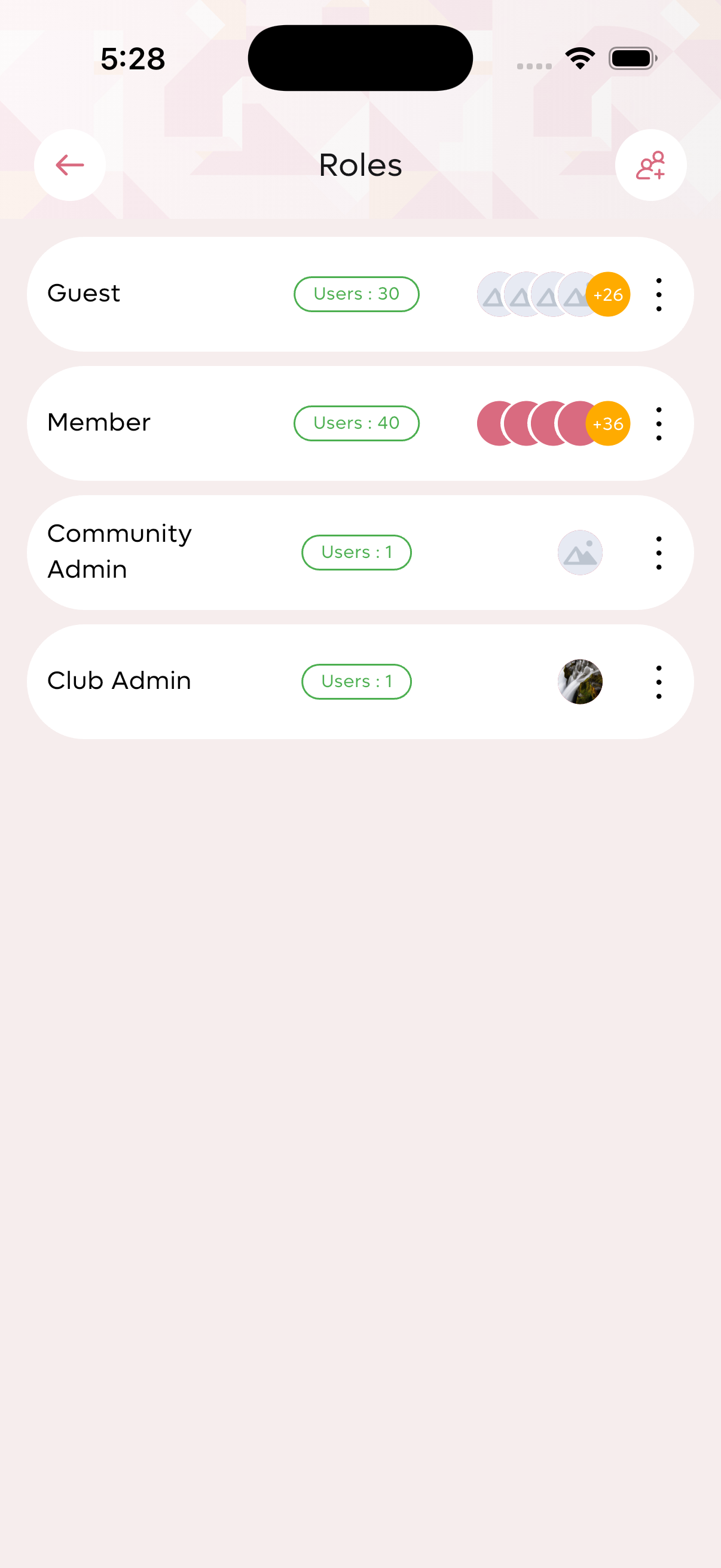
Role list showing user counts by role type.
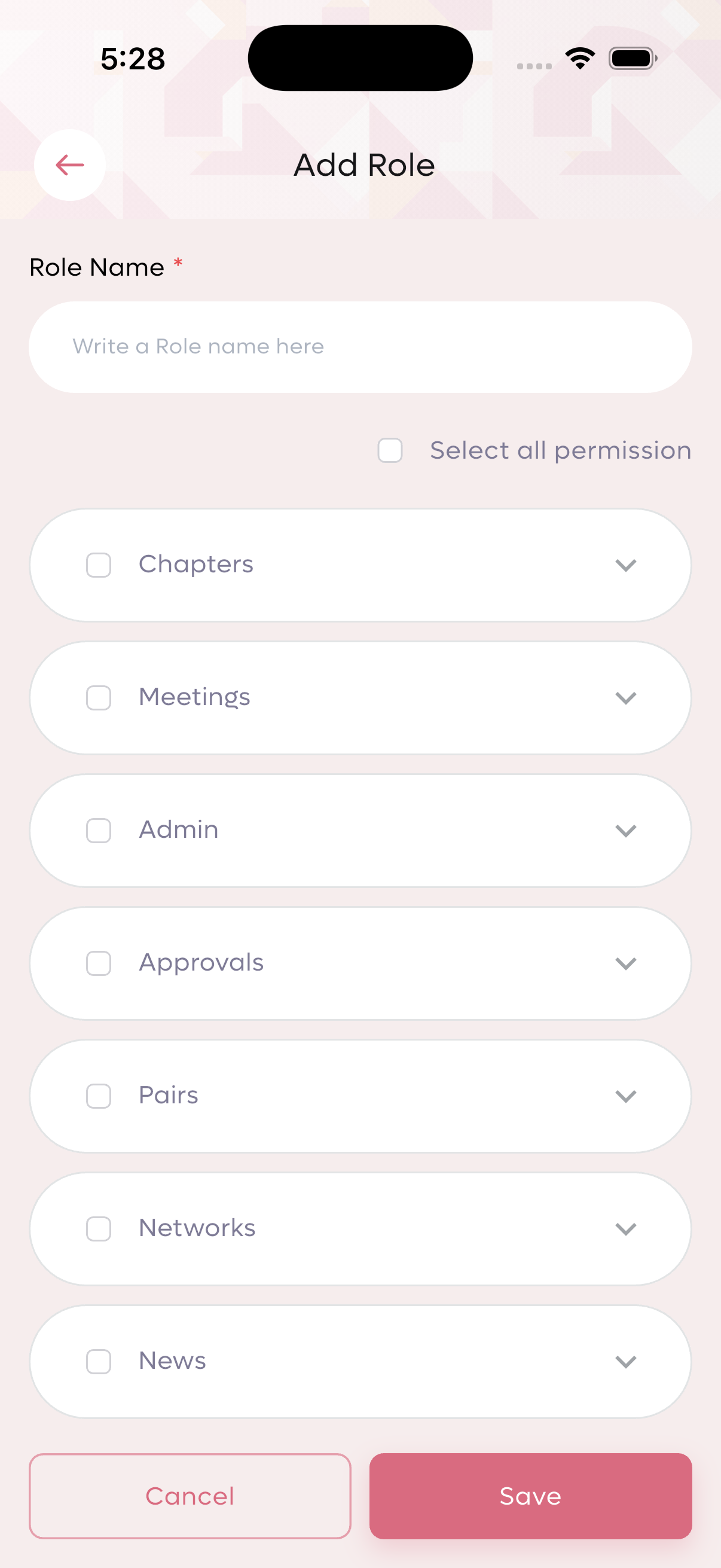
Create new role with granular permissions.
Profile Management
Profile Information Display
- Member Avatar: Name-based avatar
- Statistics: Contact count, Awards, Membership days
- Contact Information: Email, phone number, company, industry
Edit Profile Fields
- First Name / Last Name: Member's full name
- Company Name: Member's affiliated organization
- Email: Primary contact email
- Phone Number: Mobile/contact number
- Industry: Professional industry sector
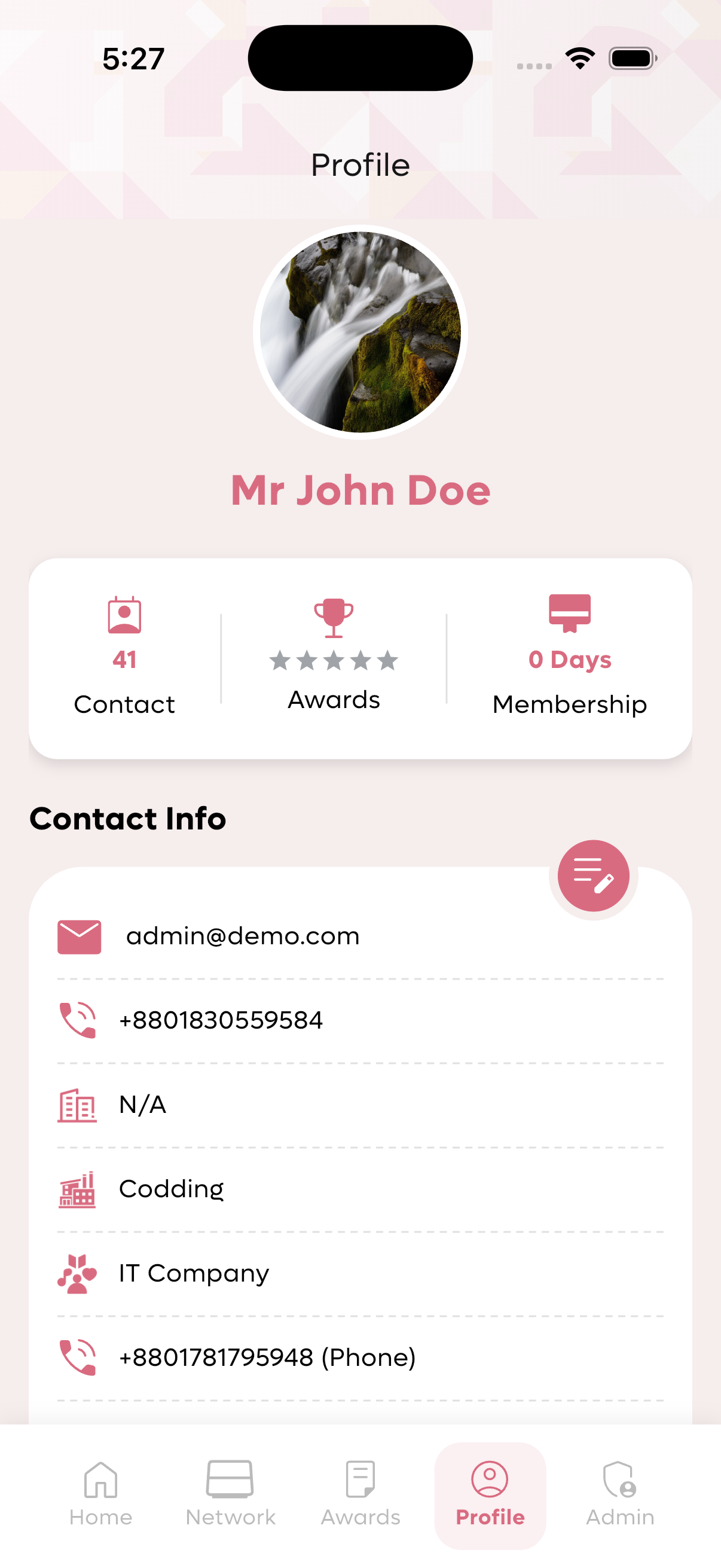
Member profile with contact info and statistics.
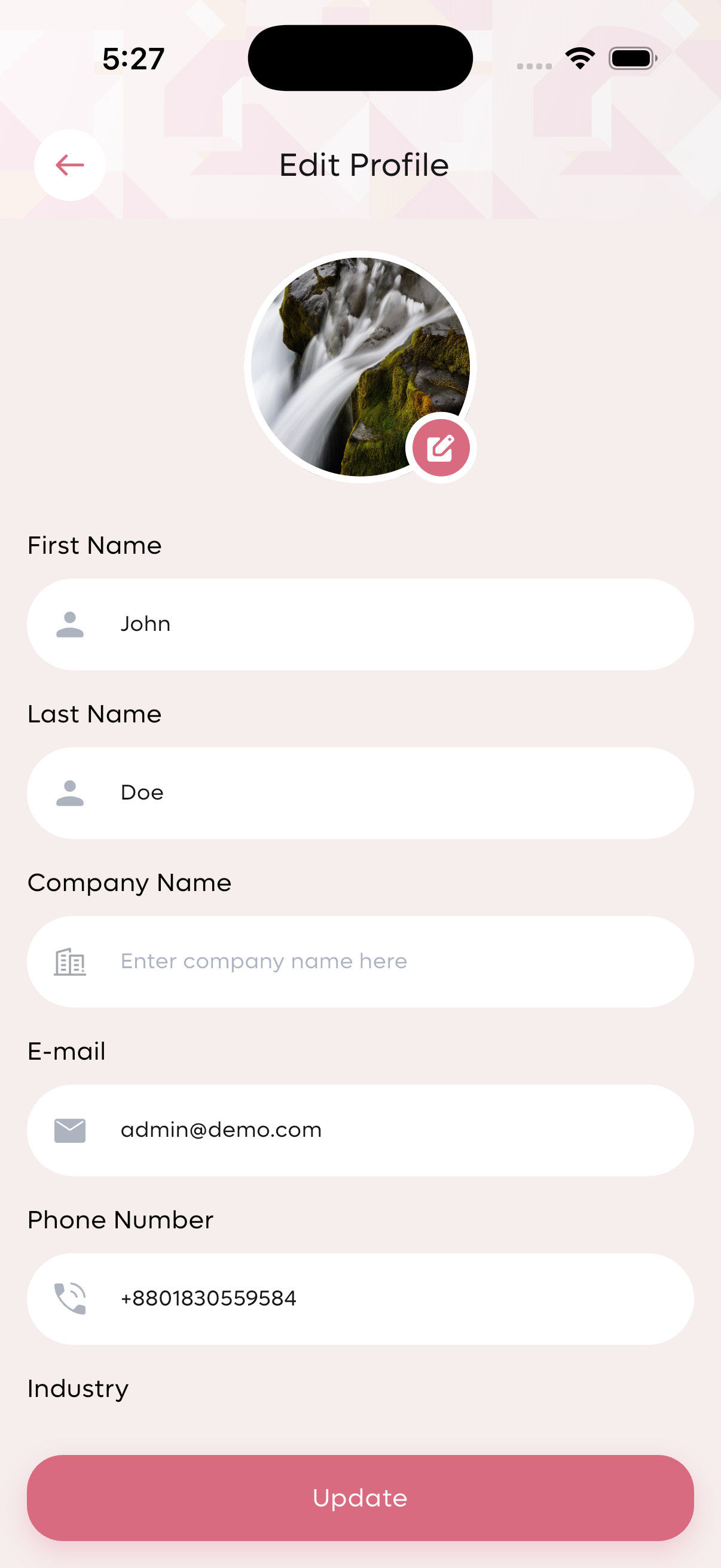
Edit profile form with updatable fields.
News Management
Create News Article
- News Title: Headline of the announcement
- News Description: Detailed content of the news
- Video Link: Optional embedded video URL
- News Status: Published or Draft
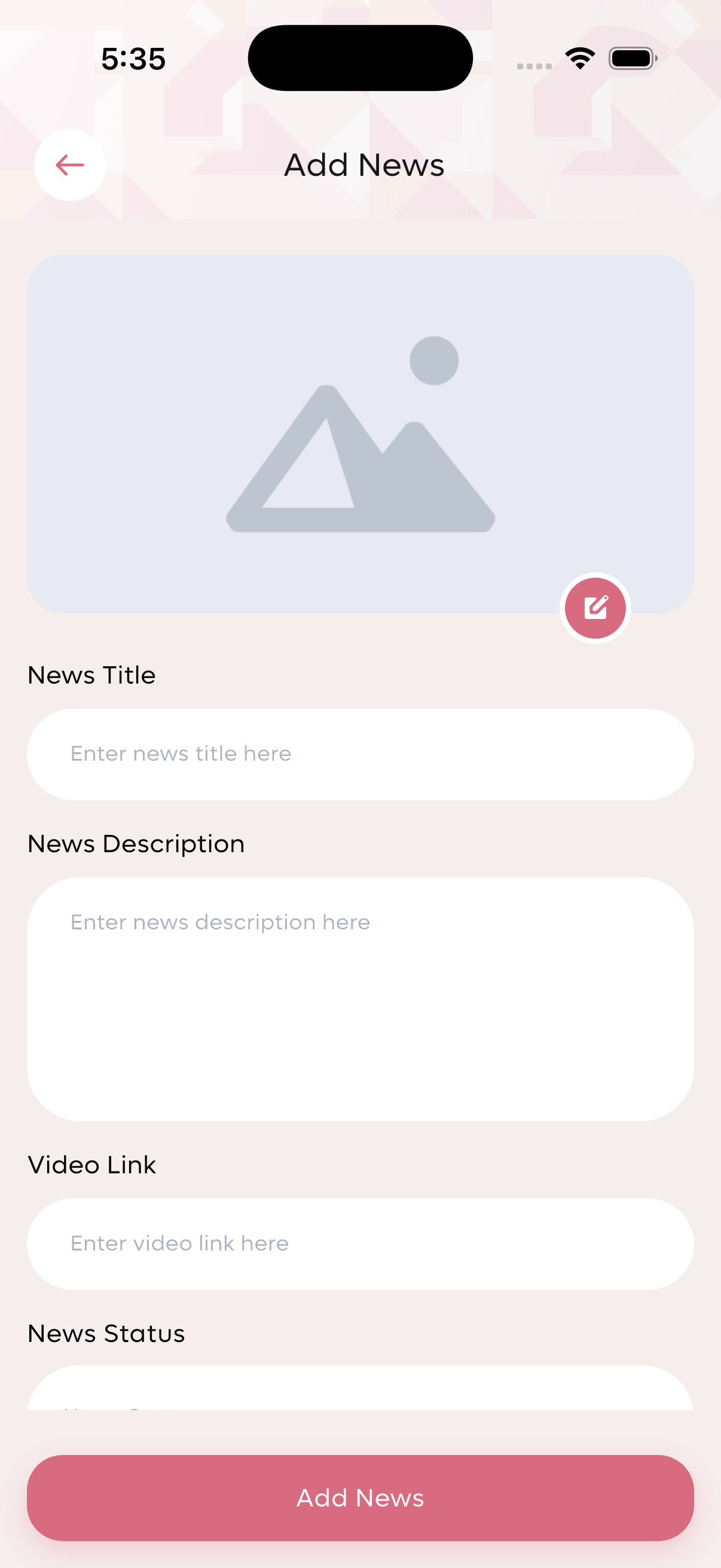
Create news article form.
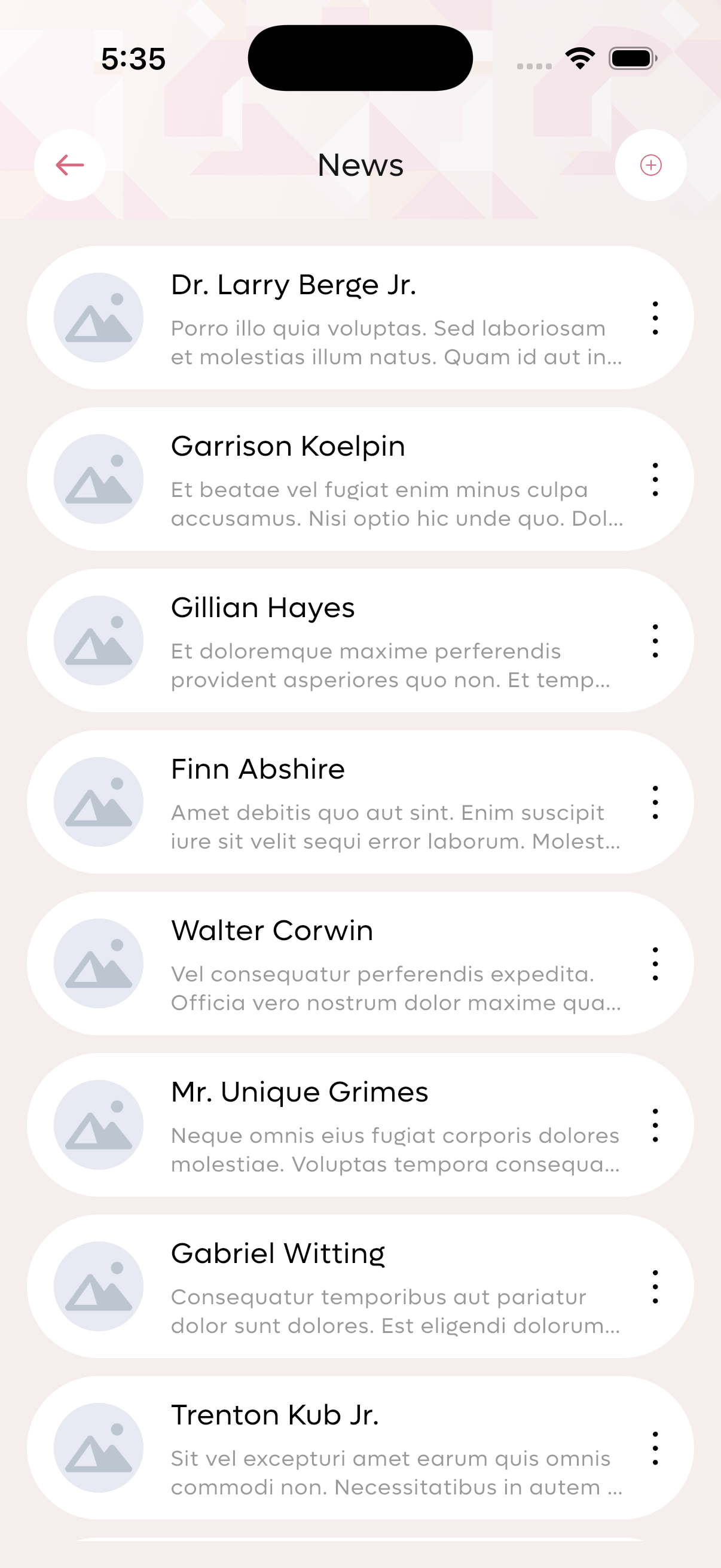
News feed showing published articles.
Admin Feature Panel
The admin panel provides access to all management modules from a central location.
Manage users and roles
Create and approve awards
Create and assign badges
Manage committees and members
Schedule and review meetings
Publish club announcements
Generate various reports
Configure system settings
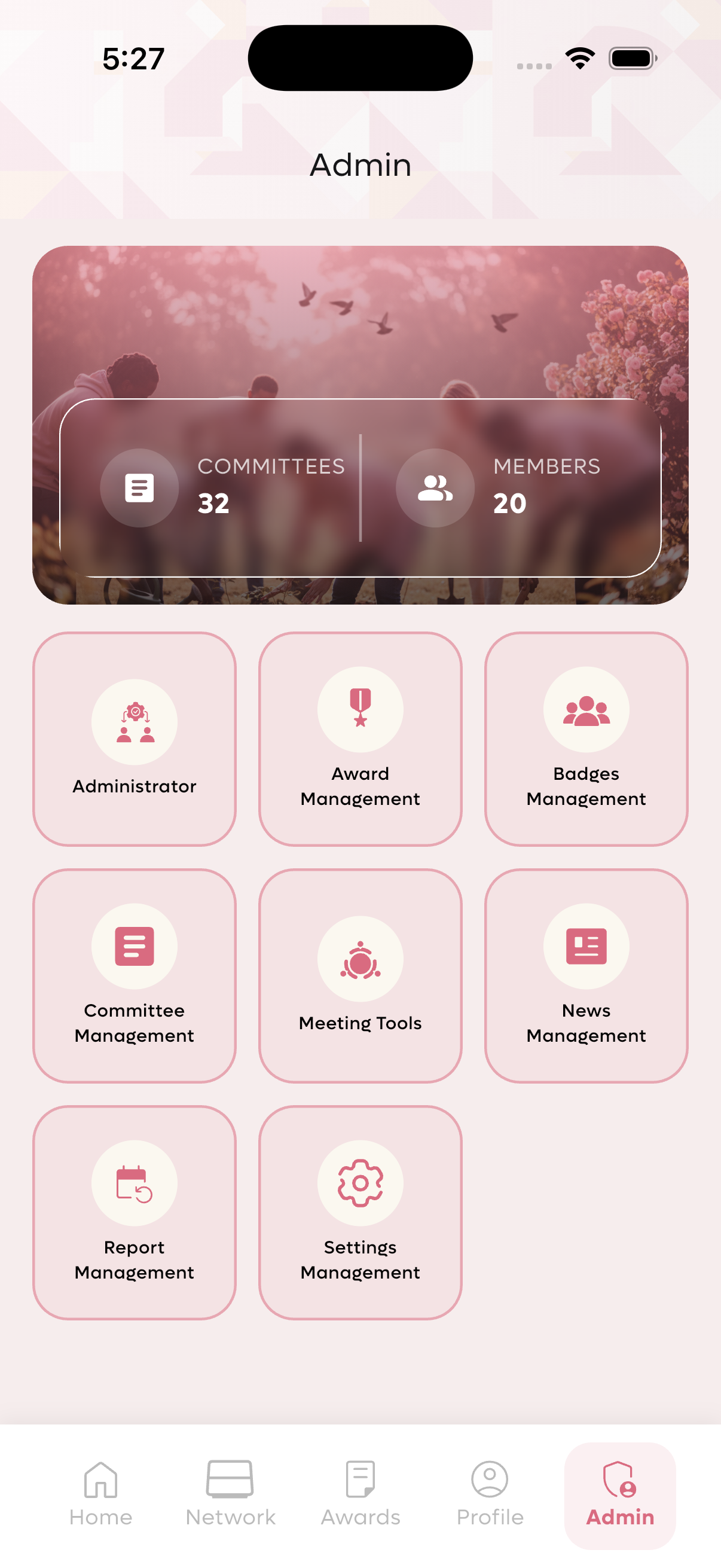
Complete admin feature panel with all management modules.
You now have a complete understanding of the Tribu club management app features. Start managing your elite community today!
- Log in with your admin credentials
- Create your first committee
- Invite and approve members
- Schedule your first meeting
- Set up awards and badges
- Configure system settings
- Check out the Android Installation Guide
- Review the iOS Installation Guide
- Contact support:
[email protected]
✅ Member Dashboard with Community Overview
✅ Network Directory with Search & Member Details
✅ Awards System with Requests & Approvals
✅ Badges System (Member & Alliance Badges)
✅ Committee Management (Create, View, Approve)
✅ Meeting Management & Pairing Attendance
✅ Member Approval & Renewal Processing
✅ Comprehensive Reports (Attendance, Transactions)
✅ Activity Log for Audit Trail
✅ Role-based Access Control with Custom Roles
✅ Profile Management
✅ News Management
✅ System Configuration (Fees, Attendance Rules, Removal Periods)
✅ Email Setup & Notifications